Gallery, museum or cultural institution
Artists, Exhibitions and Artworks connected through Relationships and organized by Medium, Year or Location.
A larger website can contain several kinds of content, automatic overview pages, filters, shops, external services and editorial workflows. A content model defines what exists, which information belongs to each item and how everything is connected.
AI Mode can create the WordPress structure and the frontend views for that model. The result can follow a custom Figma design while every part remains clear and editable in the WordPress admin.
Imagine a website that publishes Articles, presents every Author on a dedicated page, groups editorial content into Issues and Topics, and sells related Products. Each item has its own information and its own place in the WordPress admin.
The useful parts appear when these records are connected. An Author page can list all articles by that person automatically. An Issue page can collect its complete table of contents. An Article can recommend Products from the shop.
Articles can use normal WordPress Posts or a dedicated Custom Post Type. Custom Fields can store the introduction, hero image, reading time and related Products.
Authors can become a Custom Post Type with a portrait, biography, website and social links. A Relationship field connects every Article to one or more Authors.
Issues can become a Custom Post Type with a cover, publication date and introduction. Articles select the Issue they belong to through a Relationship field.
Topics work well as a Custom Taxonomy. Categories and Tags are taxonomies too. A dedicated Topic taxonomy gives the magazine another consistent way to group, filter and browse Articles.
Products can come from WooCommerce. A Relationship field lets an editor select the Products that should appear inside or below an Article.
Once the content model is set up, editors get a focused form for every kind of content. An Exhibition can have clear fields for its dates, venue, summary, accent color and participating Artists. The client can update the content while the page design and all connected overviews update automatically.
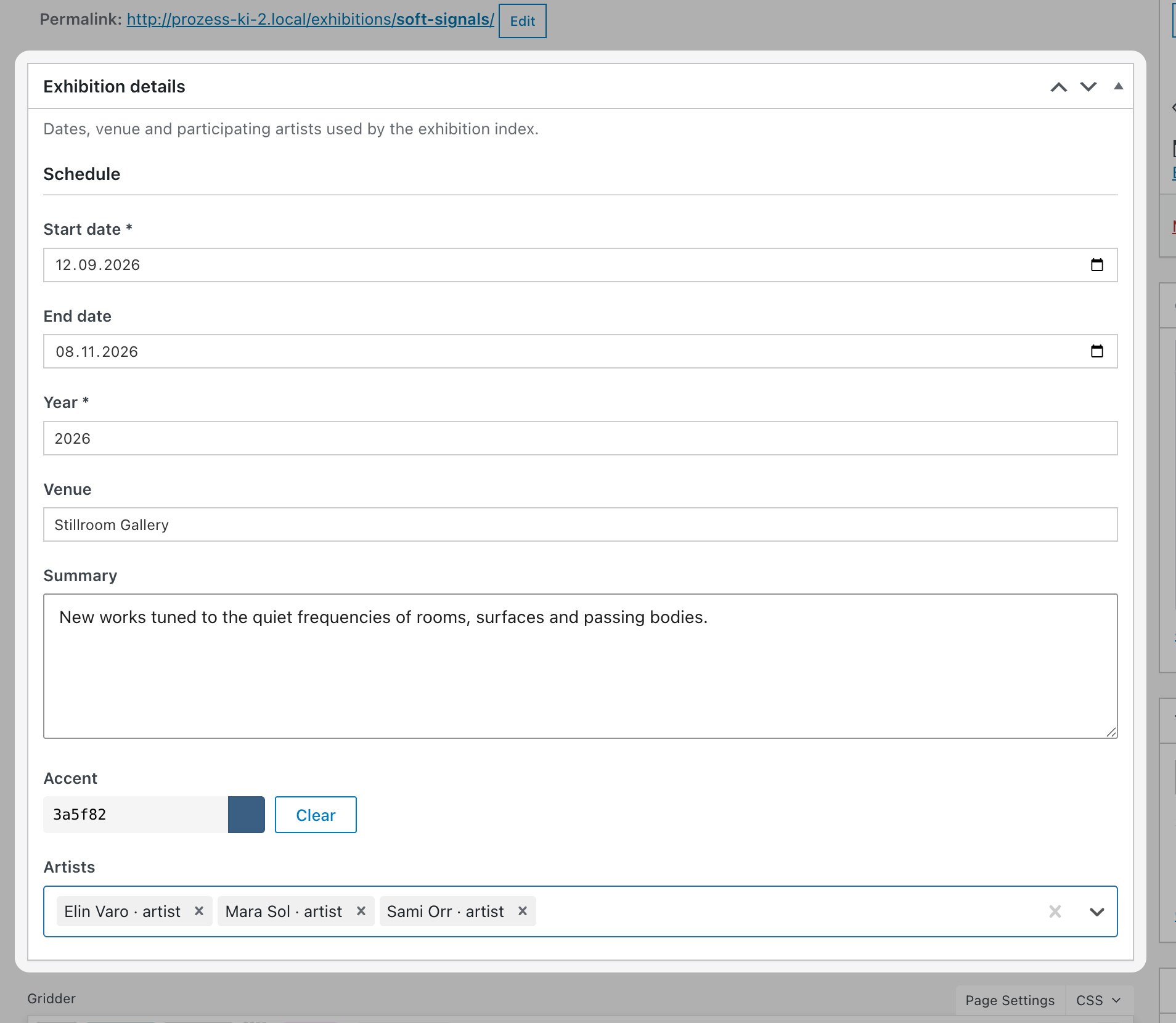
A Custom View for an Author can display the portrait and biography, then query every Article connected to that Author. Publishing a new Article automatically updates the Author page. The same structure can generate Issue pages, Topic archives and related Product sections.
The editor manages the records and their connections in WordPress. The designer controls how those records appear through Custom Views and Custom Elements.
Design the Article, Author, Issue and overview pages in Figma. AI Mode can translate the components into Custom Elements and Custom Views, connect them to the content model and keep the content editable through clear fields in WordPress.
This workflow gives designers the freedom to create a custom frontend and gives the client a structured admin panel for daily editorial work.
Artists, Exhibitions and Artworks connected through Relationships and organized by Medium, Year or Location.
Program Items, Speakers, Exhibitors and Venues connected by time, location, topic and format.
Projects, People and Offices organized by Building Type, Location, Status and Year.
Courses, Departments, Teachers, Publications and Events connected across one searchable website.
Larger projects often involve several editors, external services, existing content and bigger budgets. Define the content types, fields, taxonomies, relationships, permissions, integrations and migration before production starts.
Test the features with the most technical uncertainty early. A technical plan gives the designer and client a shared understanding of the project and shows which Lay Theme or WordPress feature should handle each requirement.
You can hire me to help plan a larger Lay Theme project. I can review the brief or Figma design, check the technical feasibility, create diagrams for the content structure and recommend which Lay Theme and WordPress features to use for each part.
Consulting starts with a minimum of 2 hours at €90 per hour. Email info@laytheme.com to discuss your project.
Complex Websites Tutorial Why AI Mode AI Mode Capabilities Figma to WordPress Build with AI Shop Setup