License Keys
Use the Key & Files Manager to view license keys, reset activations and download Lay Theme or addon files again.
Key & Files Manager
Go to laykeymanager.com when you need your license keys or download files. You can download Lay Theme, Lay Theme Addons and previous versions there.
Reset License Keys
To free up an activation, click Deactivate next to a website address that is no longer in use. This resets the activation for that domain, so you can use the key on another website.
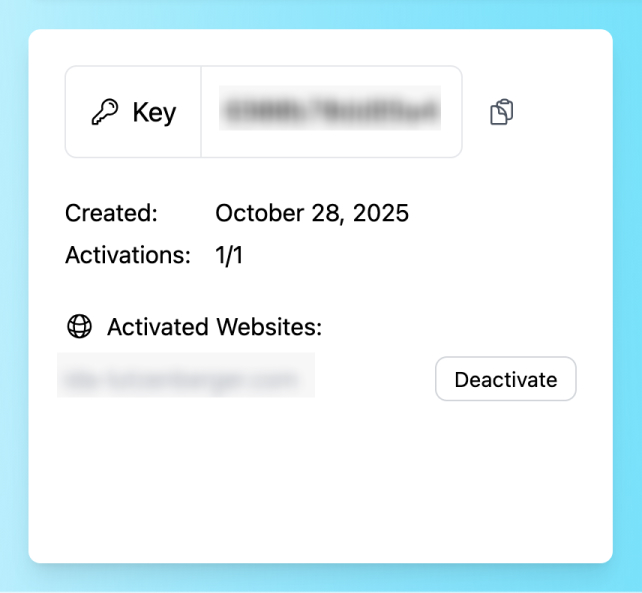
Deactivate old domains to free up license activations
Key was deactivated
If Lay Theme shows that your key was deactivated, the current website URL is probably not one of the URLs that is activated for this key. This can happen after moving a website, changing the domain, working on a development URL or switching from a temporary URL to the final domain.
- Find the old domain. Open the Key & Files Manager and look for the old, wrong or development domain.
- Deactivate it. Click Deactivate next to that domain. This removes the old website from your key and frees up one activation.
- Activate the key again. Open the WordPress admin of the new website and go to Lay Options → License Key. Activate the same key again there.
Lost Key or Files
If you lost your key or your download files, first check the Key & Files Manager. If that does not work, send an email to info@laytheme.com.
Upgrade License
You can upgrade a license, for example from a Single License to a Pro License. Go to Buy Now → Upgrade.
Moving a Website
Before moving a Lay Theme website to another domain, deactivate the license key in Lay Options → License Key. This frees the key for the new domain. If you forgot to do this, use the Key & Files Manager to deactivate the old domain.
For the full moving guide, see Moving a Lay Theme Website.