Scroll Slider Addon
The Scroll Slider Addon lets visitors scroll or drag a page in all directions. It turns a layout into a movable canvas instead of a normal top-to-bottom page.
How it works
The Scroll Slider Addon is not a Gridder element. You enable it for a page or project, then the existing Gridder content becomes draggable and scrollable.
Visitors can drag or scroll around the layout
Get the Addon
Activate Scroll Slider
After installing and activating the addon, go to Lay Options → Scroll Slider Addon. Enable the setting that shows the Scroll Slider checkbox in the edit screen.
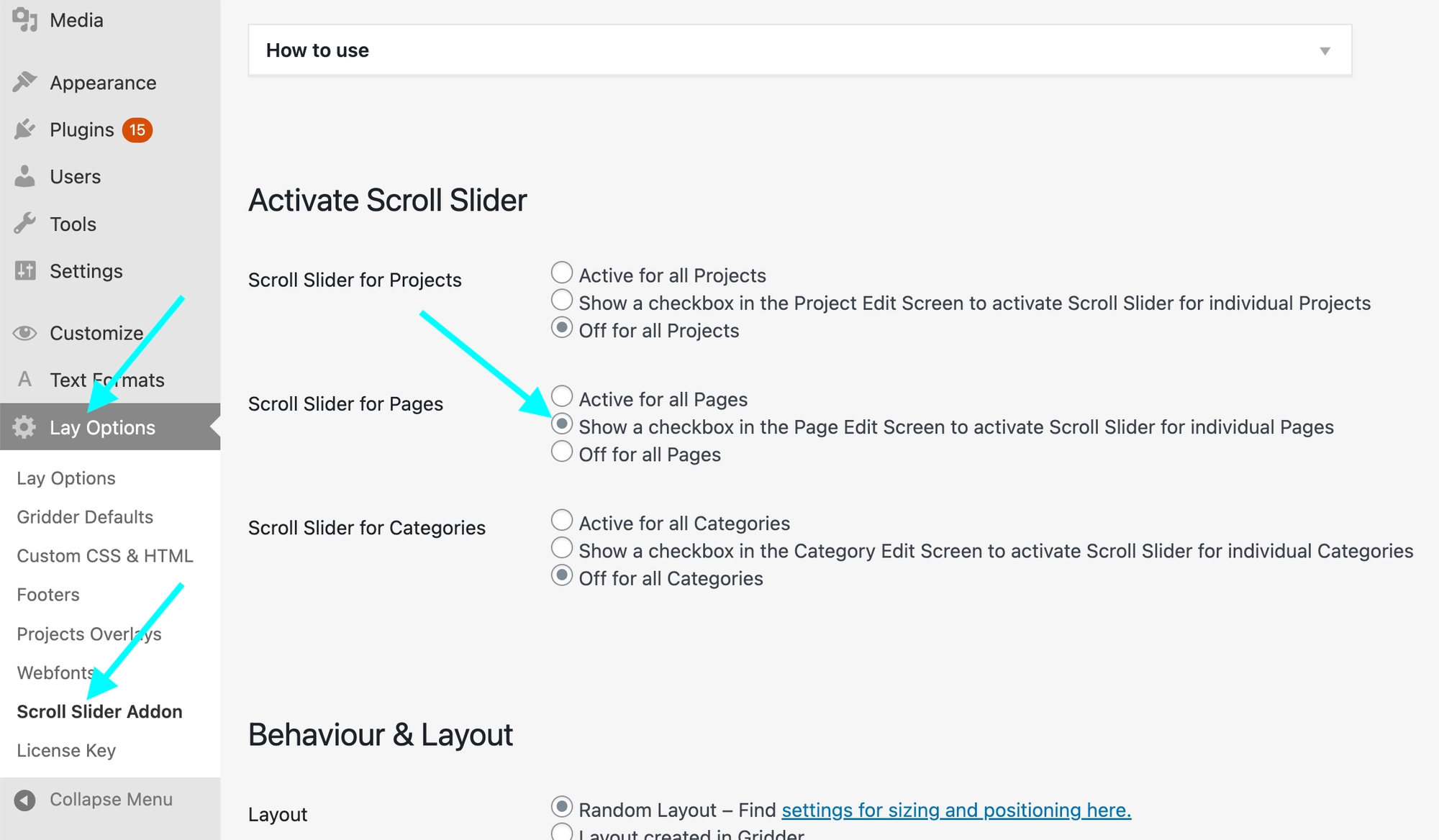
Enable the Scroll Slider checkbox for page and project edit screens
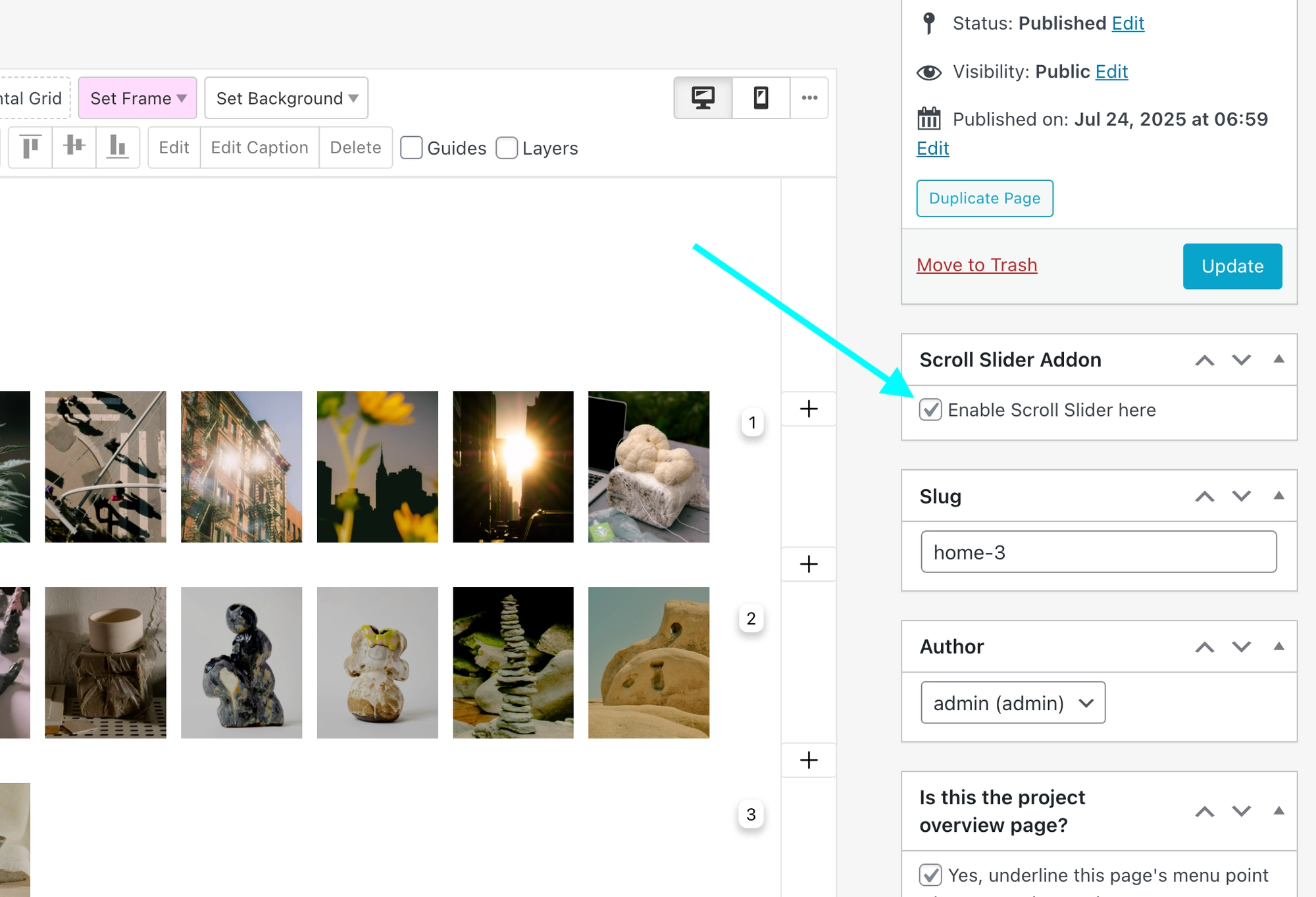
Then edit the page or project and turn on Enable Scroll Slider here.
Layout Options
The addon can randomize element sizes, repeat the canvas infinitely, zoom in and out and add movement effects.
- Random Layout sizes images randomly within minimum and maximum values for desktop, tablet and phone.
- Infinite Scroll repeats the content so visitors can keep moving left, right, up and down.
- Zoom lets visitors zoom into the canvas. Zoom uses the mouse position or touch position as the focus point.
- Starting Animation can show a small intro movement so visitors understand that the page can move.
- Parallax makes larger images move faster.
- Mouse Move, opacity and scale animations add subtle movement while visitors interact.
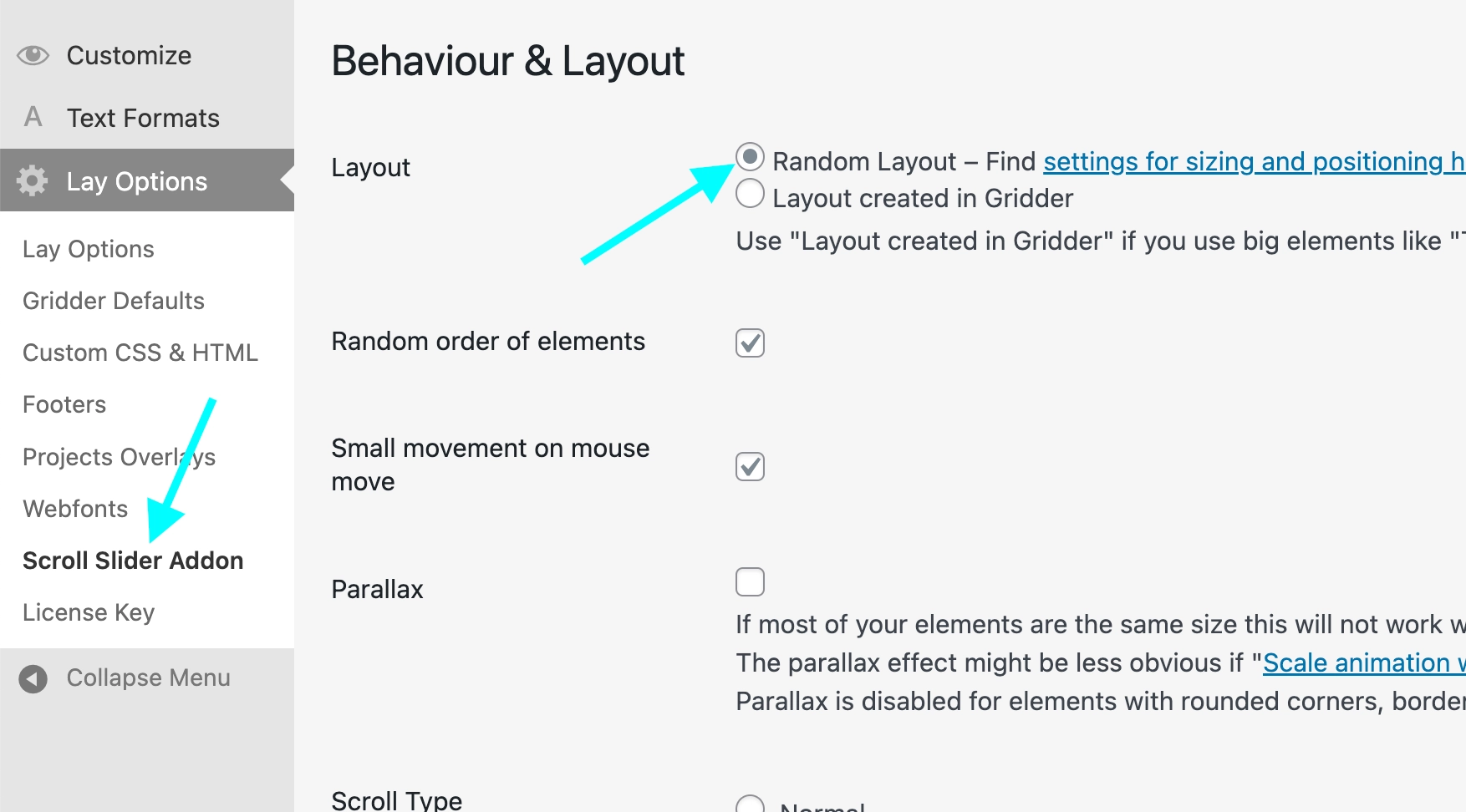
Random Layout is a fast way to create a loose movable canvas
For the full walkthrough, see the Scroll Slider Addon tutorial.