3D Logo Addon
The free 3D Logo Addon lets you place a real WebGL 3D object on your website. It can follow the mouse and sit above your layout as an interactive logo.
What is a 3D Logo?
A 3D Logo is a 3D model that is rendered with WebGL inside a canvas element. Use a .gltf model, upload its files and configure how it appears on desktop and phone.
The 3D Logo can follow the mouse
Get the Addon
The 3D Logo Addon is free. Download it here:
Install the Addon
Install it like a WordPress plugin: go to Plugins → Add New, click Upload Plugin, upload the addon .zip file and activate it.
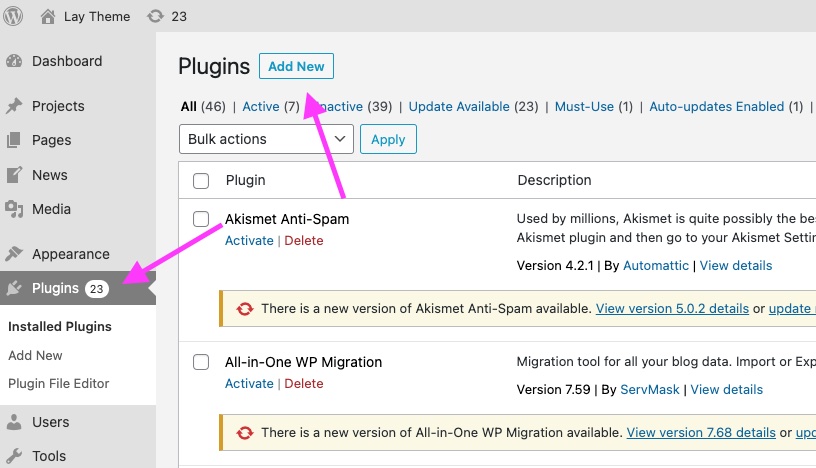
Upload and activate the 3D Logo Addon as a plugin
Add a 3D model
Use a model in .gltf format. The model may include a .bin file and texture images such as .jpg or .png files. Upload all files that belong to the model.
If the model references textures inside a folder, move the textures next to the .gltf and .bin files and update the texture paths inside the .gltf file.
Lay Options → 3D Logo Addon
After activation, go to Lay Options → 3D Logo Addon. Set the .gltf file and adjust the logo position and behavior.
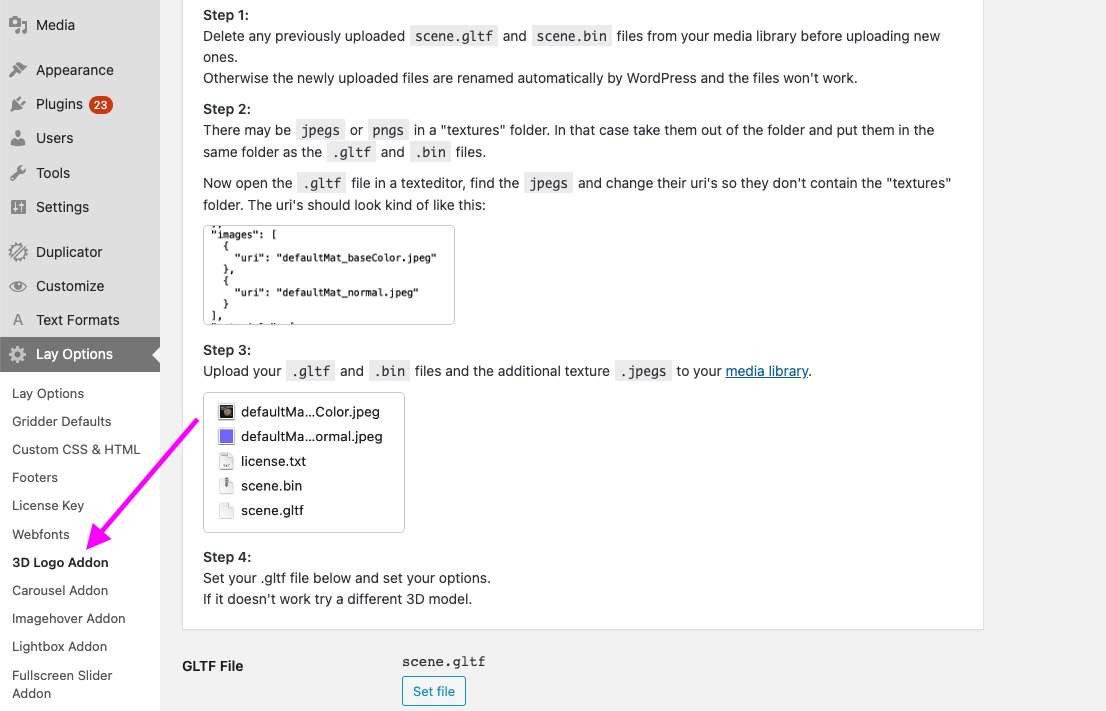
Use the 3D Logo Addon settings to choose the model and tune its appearance
- Position controls where the logo sits on desktop and phone.
- Z-Index controls whether the 3D logo appears above or below other page elements.
- 3D Model Size and Container Size control the rendered object and the canvas area.
- Offsets fine-tune the desktop and phone position.
- Rotation sets rotation around the X, Y and Z axes.
- Light Colors adjust how the 3D model is lit.
- Show / Hide on Phone controls whether the 3D logo appears on the phone layout.
For the full walkthrough, see How to add a 3D Logo to your Website.